 Gatekeep
A journal holds things you would never post. Before you trust an app with it, it's worth knowing where your pages go, who can read them and what happens to them. Here is how to judge a journal app's privacy, and how to move your entries if you're coming from Day One.
Five questions to ask any journal app
- Where are my pages stored? On your phone only, or on the company's servers? Cloud sync is convenient, but it means a copy lives somewhere else.
- Does it use AI on what I write? Many apps now add AI prompts, summaries or "insights". That usually means your words are processed, sometimes by another company's model. Check whether it's off, optional, or absent.
- Do I need an account? An account ties your journal to an email address. A journal that works without one has less to leak.
- Are there ads or trackers? Look at the app's Data safety section on Google Play: it lists what the app collects and shares.
- Can I take everything out? A good journal lets you export all your pages in a format you can read without the app, any time.
How Gatekeep answers them
Gatekeep is the private journal and scrapbook we make for Android.
| Question | Gatekeep |
|---|---|
| Where are pages stored? | On your phone. Gatekeep sends nothing off the device |
| AI? | None. Not an opt-out: there isn't any |
| Account? | None needed |
| Ads and tracking? | No ads, no analytics, no tracking. Google Play's Data safety says no data collected |
| Export? | Everything as readable Markdown, a full copy and your original photos |
| Lock? | Fingerprint or face, and pages are hidden from the recent-apps screen |
It also removes the GPS location from the photo copies it keeps, and single pages can be marked private so they stay closed everywhere until you open them.
Moving from Day One to Gatekeep
If your journal is in Day One, you don't have to start over. Gatekeep imports Day One's JSON export.
- Export from Day One as JSON. Day One saves the export as a .zip file. Keep it as it is; don't unzip it.
- Import the .zip in Gatekeep. Your words, photos, voice notes, tags and dates come along.
- Importing twice is safe. Pages that are already in Gatekeep are skipped, so a second import won't duplicate them.
One honest difference: Gatekeep keeps your journal on one Android phone and has no iPhone version for now. If you need the same journal synced across several devices, keep that in mind.
More than a diary
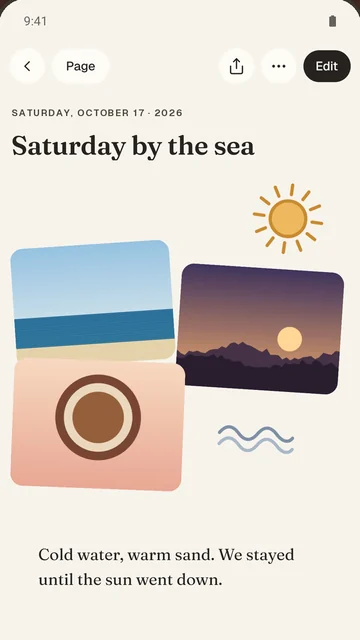
Privacy is the starting point, not the whole app. Every Gatekeep page is a scrapbook you arrange: put words, photos, stickers, voice notes and videos anywhere, and photos land as a taped-down collage. Start from a template such as Three good things, My week, Travel day, A recipe to keep or Dear future me, or from a blank page. "On this day" brings back what you kept a year ago, and there are no streaks to break.
Quick answers
Is there a journal app without AI?
Yes. Gatekeep is a free journal app for Android with no AI at all. Nothing you write is sent to an AI service, and it isn't a setting to turn off: there simply isn't any AI in the app.
What is the most private journal app for Android?
Look for one that keeps pages on your phone, needs no account, has no ads or trackers and lets you export everything. Gatekeep does all of this, and Google Play's Data safety section lists no data collected.
Can I move my Day One journal to Android without losing photos?
Yes. Export your Day One journal as JSON and import the .zip into Gatekeep: words, photos, voice notes, tags and dates come along.
Does Gatekeep need an internet connection?
No. Gatekeep works fully offline and needs no account.
Is Gatekeep free?
Yes. Gatekeep is free on Google Play, with no ads.
Read next
Try it yourselfGatekeep is free on Google Play.