AppsJournal app · Android
 GatekeepA private journal, made like a scrapbook
Your life, not your feed. Photos, words, stickers and voice notes on pages you arrange, kept on your phone. No AI, no account, no ads.
Scan to installPoint your Android phone's camera at the code to open Gatekeep on Google Play.
- Type
- Private journal and scrapbook
- Platform
- Android 7 and up · Google Play
- Price
- Free, no ads
- Account
- None needed
- Data collected
- None (Google Play Data safety)
- Languages
- English, French, Arabic
What can you make in Gatekeep?
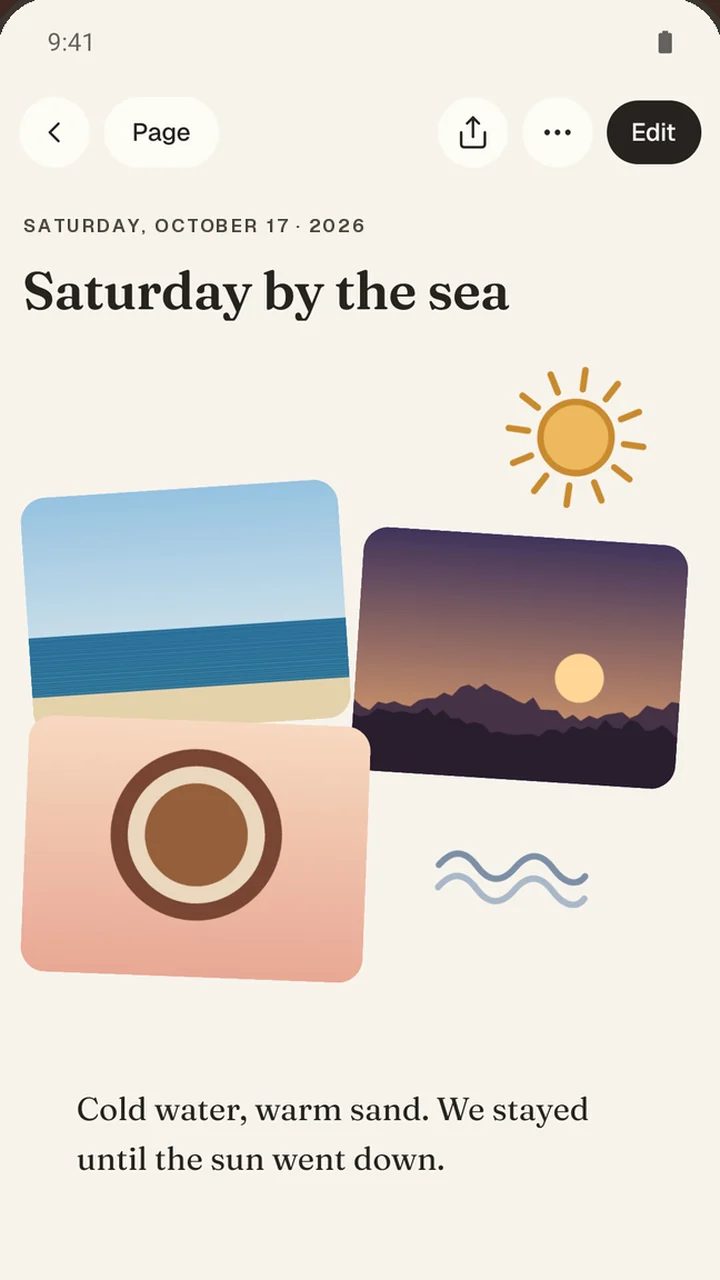
- Pages you arrangePut words, photos, stickers, voice notes and videos anywhere on the page, then resize and turn them.
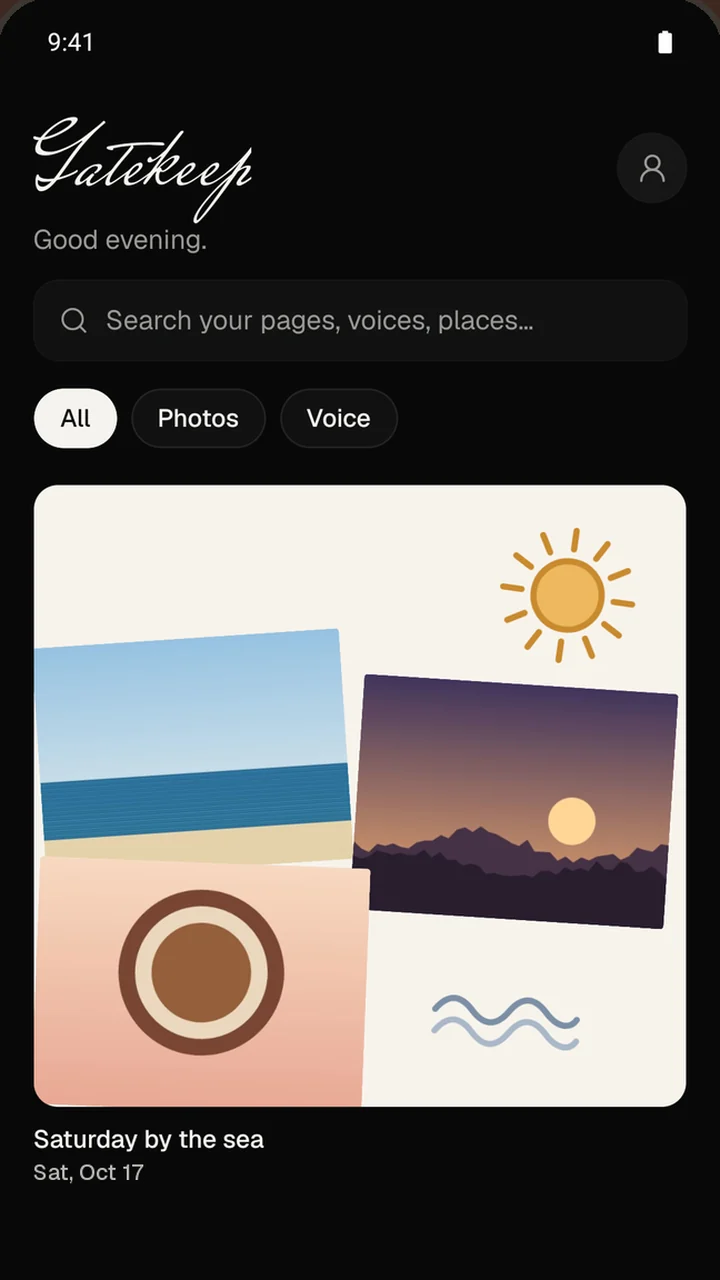
- Photos become a collagePick a few photos and they land taped down and slightly tilted, ready to write on.
- Templates or a blank pageThree good things, My week, Travel day, A recipe to keep, Dear future me and more, or nothing at all.
- Stickers, yours too41 hand-drawn stickers, plus your own: draw one, or cut one out of a photo.
- On this dayWhat you kept a year ago comes back, and private pages never resurface.
- Yours to keepExport everything as readable Markdown, a full copy and your original photos. Coming from Day One? Import your JSON export.
Guides:Private journal app Gratitude journal ideas Travel journal app
Private by design
Nothing leaves your phone.
Gatekeep has no servers to send your pages to. Google Play's Data safety section for Gatekeep says it plainly: no data collected, no data shared. The privacy policy explains every permission it asks for and why.
- Pages stay on your phone. Gatekeep sends nothing off the device.
- No AI. Not an opt-out: there isn’t any.
- No account, no ads, no analytics, no tracking.
- Lock it with your fingerprint or face. Pages are hidden from the recent-apps screen too.
- The GPS location is removed from the photo copies Gatekeep keeps.
- Works fully offline. No feed, no followers, no likes, no streaks.
Questions about Gatekeep.
What is Gatekeep?
Gatekeep is a free private journal for Android, made by Rekto Digital. Each page is a freeform scrapbook: you place words, photos, stickers, voice notes and videos wherever you like. Everything stays on your phone.
Does Gatekeep use AI?
No. There is no AI in Gatekeep, and nothing you write or add is sent to an AI service. It is not a setting you have to turn off; it simply isn’t there.
Do I need an account?
No. Gatekeep works fully without an account or sign-in, and it works offline.
Can anyone else read my journal?
Your pages are stored in the app’s private storage on your phone and never leave it. You can lock the app with your fingerprint or face, and mark single pages private so they show closed everywhere until you open them.
Can I get my pages out?
Yes. Profile → Export everything gives you a .zip with your pages as readable Markdown, a full JSON copy and your original photos, videos and recordings.
Can I move from Day One?
Yes. Export your Day One journal as JSON and import it into Gatekeep: words, photos, voice notes, tags and dates come along.
Can I use Gatekeep as a gratitude journal?
Yes. Start a page from the Three good things template, or from a blank page, and add photos or a voice note if you like. There are no streaks to break, and an optional daily reminder never shows what you wrote. Our guide has 24 gratitude journal prompts to get you started.
Is Gatekeep on iPhone?
Not yet. Gatekeep is available for Android phones on Google Play, and there is no iPhone version for now.
Get Gatekeep free on Google Play.
No AI, no account, no ads. Questions or a problem? Write to support@rektodigital.com, or use Profile → Support in the app.
On a computer?Scan the code with your Android phone.