 Gatekeep
The details of a trip fade faster than you expect: the name of the little restaurant, the joke on the night train, the smell of the market. A travel journal catches them while they are fresh. Here is what's worth writing down, how to keep the habit going while you travel, and how to do it on your Android phone, even without a signal.
What to capture on a trip
Photos record what places looked like. A journal records what they were like. These are the things people most often wish they had written down:
- The route and the detours. Where you went, and especially the places you didn't plan to go.
- What you ate. The dish, the place, the price if it surprised you, good or bad.
- Names. The guesthouse, the street, the person who gave you directions. They are the first things you forget.
- Senses. A smell, a sound, the weather, something someone said.
- Small mishaps. The missed bus and the wrong turn often become the best stories later.
- How you felt. Tired, delighted, homesick, brave. One word is enough.
- Keepsakes. A ticket, a receipt, a sign or a menu: take a photo of it and add it to the page.
Tips for journaling while you travel
- Write a little every day. Five minutes in the evening beats a long catch-up at the airport, when half of it is already gone.
- Use downtime. Trains, queues and waits at the gate are good journal time.
- Talk instead of typing. A short voice note on a walk keeps the mood and the background sounds, and it takes seconds.
- Pick a few photos per day, not all of them. Three or four that tell the day are easier to look back on than a hundred.
- Don't wait for wifi. Use a journal that works offline, so a day in the mountains or on a plane doesn't break the habit.
Keeping a travel journal in Gatekeep
Gatekeep is the private journal and scrapbook we make for Android. Each page is freeform, which suits travel: put words, photos, stickers, voice notes and videos anywhere, then resize and turn them.
- Start from the Travel day template. Make a new page and pick Travel day. It gives you a few prompts about where you went, what you ate and what not to forget, and you can change anything on the page.
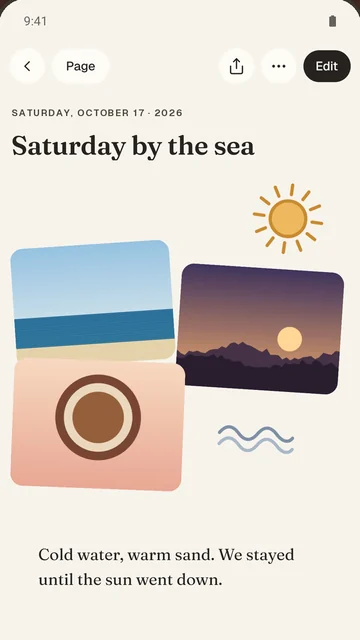
- Pick your photos. They land as a collage, taped down and slightly tilted, ready to write on.
- Record a voice note. It sits right on the page, with a live waveform while you record.
- Add stickers. Use the 41 hand-drawn stickers, or cut one out of a photo, like the outline of a landmark or a ticket.
- Write when you have a minute. Gatekeep works fully offline, so a page from a plane or a remote valley is no problem.
- Share a page as an image with family back home, only when you choose to.
Private on the road
Travel photos can say more than you intend. Gatekeep removes the GPS location from the copies of the photos it keeps, so a page doesn't carry the exact spot where you stayed. Your pages stay on your phone, there is no account and no AI, and you can lock the app with your fingerprint or face, which helps if you lend your phone to someone for directions.
After the trip, and honest limits
Once you are home, "On this day" brings back what you kept a year ago, and you can search everything you wrote. To keep the trip safe outside the app, Export everything gives you your pages as readable Markdown, a full copy and your original photos. You can also make a printable book of your pages.
| Good to know | Gatekeep |
|---|---|
| Platform | Android 7 and up, on Google Play |
| iPhone | No iPhone version for now |
| Sync between devices | None: your journal lives on one phone, so export it now and then as a backup |
| Internet needed? | No, it works fully offline |
| Price | Free, no ads |
Quick answers
What should I write in a travel journal?
The route and the detours, what you ate, names of places and people, sounds and smells, small mishaps and how you felt. Add a few photos per day, including tickets or signs, to bring it back later.
Can I keep a travel journal offline on Android?
Yes. Gatekeep works fully offline, so you can write, add photos and record voice notes without a signal or wifi.
Does Gatekeep keep the location of my travel photos?
No. Gatekeep removes the GPS location from the copies of the photos it keeps. Your pages stay on your phone.
Is Gatekeep available on iPhone?
Not yet. Gatekeep is available for Android phones on Google Play, and there is no iPhone version for now. It also has no sync between devices.
How do I keep a copy of my travel journal?
In Gatekeep, Profile, then Export everything gives you a .zip with your pages as readable Markdown, a full copy and your original photos, videos and recordings. You can also make a printable book of your pages.
Read next
Try it yourselfGatekeep is free on Google Play.