 Kind PDFA free PDF editor and converter for Android
Convert PDF to Word, combine, compress, sign and scan, right on your phone. No watermark, no login, and your files never leave your device.
Scan to installPoint your Android phone's camera at the code to open Kind PDF on Google Play.
- Type
- PDF editor, converter and scanner
- Platform
- Android · Google Play
- Price
- Free with small limits and no ads; optional Pro
- Account
- None needed
- Your files
- Never uploaded, processed on your phone
- Languages
- 24
What can Kind PDF do?
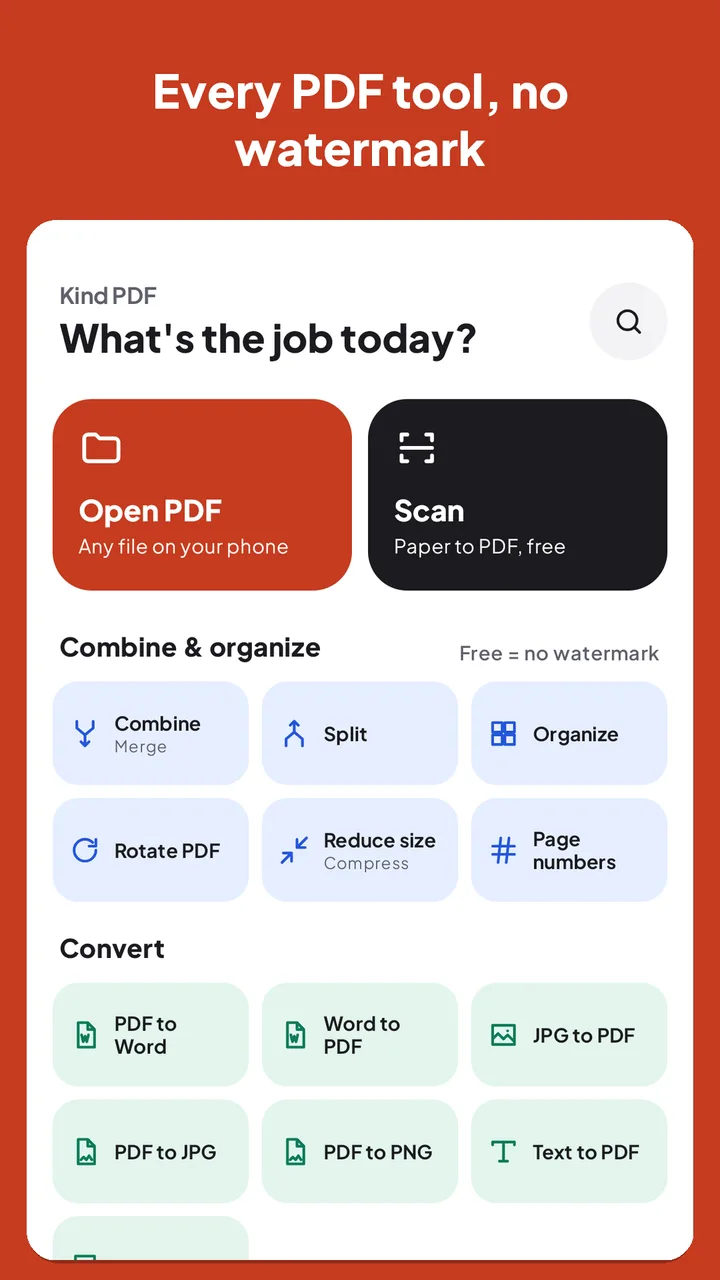
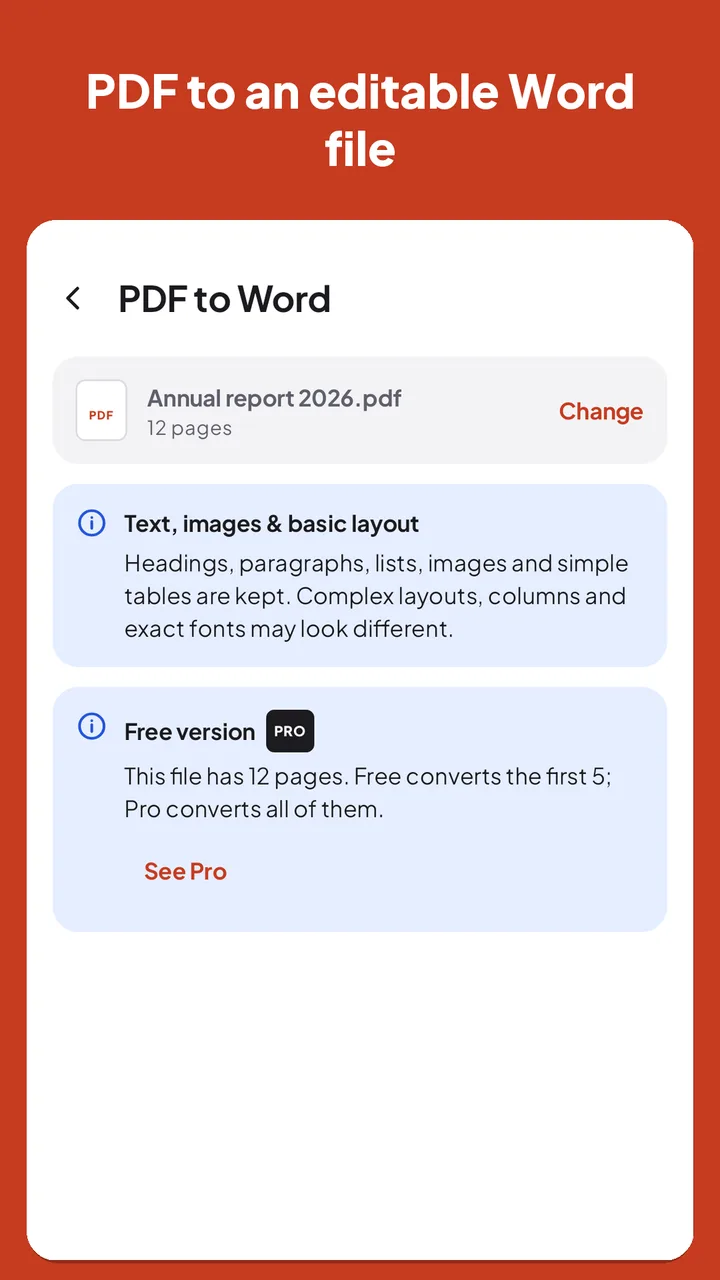
- PDF to WordTurn a PDF into an editable .docx with text, headings, images and simple tables. Scanned pages can be read with on-device OCR first.
- Combine and splitMerge PDFs and images in the order you choose, split by page ranges, and organize, rotate, delete or duplicate pages.
- Compress PDFShrink a PDF for email or upload forms: pick Low, Medium or High quality and see the size before and after.
- JPG to PDF and backTurn photos into one tidy PDF, or save pages as sharp JPG or PNG images at the resolution you pick.
- Sign and fill formsDraw, type or import a signature and place it anywhere; type into real form fields and tick boxes.
- Scan to PDFThe built-in scanner finds the edges, crops and cleans each page, and OCR makes scanned PDFs searchable.
How-to guides:PDF to Word on Android Compress a PDF on Android Sign a PDF on Android Scan to PDF on Android JPG to PDF on Android Merge PDFs on Android Read a PDF aloud on Android Edit PDF text on Android Free JPG to PDF tool (in your browser)
Kind by design
No watermark. No login. No uploads.
Most free PDF apps stamp your file, ask you to sign up, or send your documents to a server. Kind PDF does the work on your phone instead. It also makes PDFs, adds page numbers and stamps, unlocks or protects files with AES-256, and translates PDFs on the device. The privacy policy explains exactly what the app receives.
- No watermark on anything you make. Ever.
- No account and no sign-in.
- Your files are never uploaded: every tool runs on your phone.
- Works offline (translation, the scanner and some OCR languages need a one-time download first).
- Saving, opening and sharing are always free.
- Limits are shown before you start, never after the work is done.
Questions about Kind PDF.
What is Kind PDF?
Kind PDF is a free PDF app for Android made by Rekto Digital. It converts PDF to Word, combines, splits, compresses, signs and scans PDFs on your phone, with no watermark and no account.
Is Kind PDF free?
Yes. Every tool in Kind PDF is free with small, clearly shown limits; for example, PDF to Word converts the first 5 pages of a file for free. There are no ads. Pro removes the limits and adds High-quality compression and password protection, as a monthly or yearly subscription or a one-time purchase.
Does Kind PDF add a watermark?
No. Kind PDF never adds a watermark to anything you make, in the free version or in Pro.
Are my files uploaded anywhere?
No. Kind PDF processes your files on your phone and never uploads them. The app only receives anonymous usage and crash data, as explained in its privacy policy.
Can I convert a PDF to Word on my phone?
Yes. Kind PDF turns a PDF into an editable .docx with text, headings, images and simple tables, and can read scanned pages with on-device OCR first.
Does Kind PDF work offline?
Yes. Kind PDF runs every tool on your phone, so it works offline. Translation, the document scanner and some OCR languages need a one-time download first.
Which languages is Kind PDF in?
Kind PDF is available in 24 languages: English, Spanish, Portuguese, French, German, Italian, Dutch, Polish, Ukrainian, Russian, Turkish, Arabic, Persian, Urdu, Hindi, Bangla, Indonesian, Malay, Filipino, Vietnamese, Thai, Chinese, Japanese, and Korean. It follows your phone's language, and you can pick another one in Settings.
Get Kind PDF free on Google Play.
No watermark, no account, no uploads. Questions or ideas? Write to us from Settings → Contact support in the app.
On a computer?Scan the code with your Android phone.