 Kind PDF
Spotted a typo, a wrong date or a misspelled name in a PDF? You can fix it on your Android phone in a few seconds. Here is how, what happens behind the scenes, and when another approach works better.
The short answer
A PDF is built to look the same everywhere, not to be edited, so most phone apps change text the way a careful person would on paper: they cover the old words and write the new ones exactly on top, in a matching size and style. For fixing a typo, a name, an amount or a date, the result looks like the original.
Online PDF editors upload your file to a server to do this. For invoices, contracts and forms, editing on the phone keeps the document private.
Step by step with Kind PDF
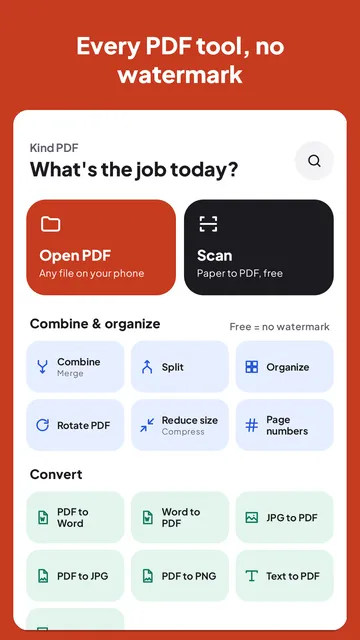
Kind PDF is our free PDF app for Android. It edits on your phone, never uploads the file and adds no watermark.
- Open Edit text. Tap Edit text on the home screen (or in Tools for this file in the viewer) and pick your PDF.
- Tap the line you want to change. A box opens with that line's words already filled in. In two-column layouts and tables, only the column or cell you tapped is picked.
- Type the correction and tap Done. The old line is covered and your text is written in its place, at about the same size, bold if the original was bold.
- Adjust if needed. Drag the text to nudge it, change its size or color, or change the cover's color if the page background isn't white.
- Save. Kind PDF saves a new copy, so your original stays untouched.
What happens to the old text
The original words are covered by a white box and the new words are drawn on top. On screen and on paper only the new text shows, but the old text is still inside the file, so search or copy-and-paste can find it. That's fine for fixing mistakes; for hiding private information, remove the page or redact the document with a dedicated tool instead.
Edit text, Add text or convert to Word?
| You want to | Use |
|---|---|
| Fix a typo, name, date or amount | Edit text |
| Write in an empty space (a form field, a note) | Add text or Fill forms |
| Rewrite paragraphs or change the layout | PDF to Word, edit, then Word to PDF |
Scanned PDFs are pictures of pages, so there is no text to tap. Run OCR on the file first; Kind PDF tells you when a page has no text.
Quick answers
Can I edit PDF text on Android for free?
Yes. Kind PDF's Edit text tool is free, with no watermark and no account: tap a line, type the new words and save a new copy.
Does it really change the words in the PDF?
It covers the old words and writes the new ones on top, which looks the same on screen and in print. The old text is still in the file underneath, so don't use it to hide private information.
Why can't I tap the text in my PDF?
The page is probably a scan or a photo, which has no text layer. Run OCR on the PDF first, then edit it.
Is my PDF uploaded to edit it?
No. Kind PDF edits the document on your phone and saves the new copy to your phone. Nothing is uploaded.
Read next
Try it yourselfKind PDF is free on Google Play.