 Kind PDF
Your Android phone can read a PDF to you while you walk, cook or rest your eyes. Here is how to do it, how to keep it playing with the screen off, and what to do with scanned documents.
The short answer
Open the PDF in a reader app that has a read-aloud (text-to-speech) button, tap it, and the phone reads the document sentence by sentence. Android includes a free speech engine for dozens of languages, so you don't need a separate voice app.
Some read-aloud services are websites that upload your document and send back audio. That works, but the file leaves your phone. For contracts, medical letters or school notes, an app that reads on the device is the safer choice.
Step by step with Kind PDF
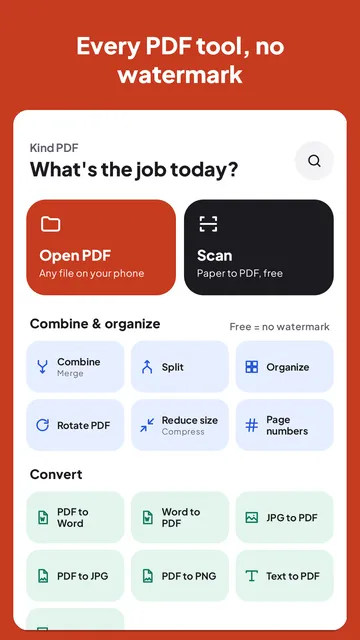
Kind PDF is our free PDF app for Android. It reads on your phone, never uploads the file and adds no watermark.
- Open the PDF. Tap Open PDF, or tap Read aloud on the home screen to pick a file and start listening straight away.
- Tap the headphones. Reading starts from the page on screen. The sentence being read is highlighted and the view follows along.
- Set the speed. Tap the speed button to choose 0.75×, 1×, 1.25×, 1.5× or 2×.
- Skip or go back. The arrows move one sentence at a time; the page follows.
- Lock your phone. Reading continues with the screen off. Use the notification, the lock screen or your headphones' play button to pause and resume.
Changing the voice and language
Kind PDF uses the phone's text-to-speech voice and switches to the document's language when your phone has a voice for it. To add a language or pick a different voice, open your phone's Settings, search for "Text-to-speech output", and choose the engine and voice there. Google's speech engine lets you download extra languages so they also work offline.
Scanned PDFs and photos of pages
A scanned PDF is a picture of a page, so there is no text to read. Kind PDF recognizes the words on such pages with on-device text recognition (OCR) before reading them. Sharp, straight scans give the best results. For the most reliable reading of a long scanned document, run OCR on it first to make it searchable, then read it aloud.
What is free
| Free | Pro | |
|---|---|---|
| Your first file | Read in full | Read in full |
| Every file after that | First 3 pages | Every page |
| Screen off, speed, highlighting | Included | Included |
The limit is shown before you hit it, never after the work is done, and there are no ads.
Quick answers
Can Android read a PDF out loud for free?
Yes. Kind PDF reads PDFs aloud for free with the phone's built-in voice. Your first file is read in full; after that, free reads the first 3 pages of each file and Pro reads every page.
Will it keep reading when my screen turns off?
Yes. Kind PDF keeps reading with the screen off or the app in the background, and you can pause, resume or skip from the notification, the lock screen or your headphones.
Is my PDF uploaded to read it aloud?
No. Kind PDF reads the text from the PDF on your phone and uses the phone's own speech engine, so the document never leaves your device.
Why does the voice sound different on another phone?
The voice comes from each phone's text-to-speech engine. You can change the engine, voice and downloaded languages in your phone's Settings under Text-to-speech output.
Read next
Try it yourselfKind PDF is free on Google Play.