A form wants one PDF, and you have a handful of photos of your documents. Here is how to combine images into a single PDF on your Android phone, in the right order, and how to go the other way.
The short answer
Open a JPG to PDF tool, select your photos, put them in order and save. Each image becomes one page of the PDF. Many apps also let you share photos straight from your gallery into the converter.
Online JPG to PDF websites upload your photos to make the file. If the images show an ID, a payslip or a medical letter, converting on the phone keeps them with you.
Step by step with Kind PDF
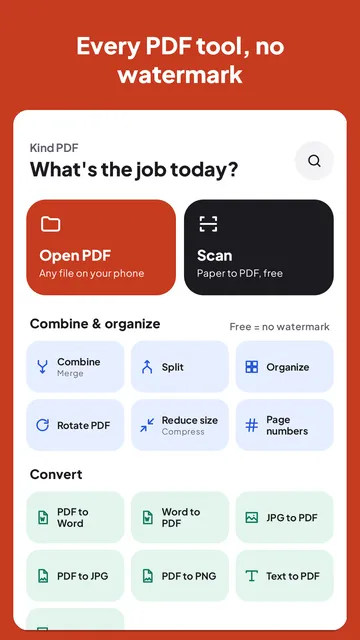
Kind PDF turns photos into a PDF on your phone, with no upload and no watermark.
- Open JPG to PDF. Tap JPG to PDF on the home screen, or select photos in your gallery, tap Share and choose Kind PDF.
- Pick your images. Choose them from your phone, and tap Add images if you missed some.
- Put the pages in order. Each image is shown as a thumbnail. Use Move earlier or Move later to change its place, rotate a sideways photo, or remove one (with Undo).
- Choose a filter and page size. Photos use Color by default; Auto, Grayscale and Black & white are there for photos of paper documents. Page size can fit each image, or use A4 or Letter.
- Save the PDF. The button shows how many pages it will have. Then open, share or save it where you like. Saving, opening and sharing are always free.
Choosing a page size
| Page size | What happens | Best for |
|---|---|---|
| Fit image | Each page is the shape of its photo | Viewing on screen, mixed photo shapes |
| A4 | Photos are centered on A4 pages, with their proportions kept | Printing and forms outside North America |
| Letter | Photos are centered on US Letter pages, with their proportions kept | Printing and forms in the US and Canada |
With A4 and Letter, a landscape photo gets a landscape page, so it isn't shrunk to fit a tall page. Kind PDF also follows the rotation your camera recorded, so photos come out the right way up.
Tips for a tidy PDF
- Photographing paper? Use Scan instead of the camera app. The scanner finds the page's edges, crops it and cleans it up, which gives a sharper, smaller PDF than a regular photo.
- Crop before you convert if a photo shows a lot of background, so the document fills the page.
- Mixing photos and PDFs? Combine in Kind PDF accepts PDFs and images in the same list and puts them together in the order you choose.
- File too big? Kind PDF stores each photo at up to A4 print quality, which keeps pages sharp. If an upload form still says the file is too big, use Reduce size.
The other way: PDF to JPG or PNG
Sometimes you need a page as an image: to post it, paste it into a chat or attach it where PDFs aren't accepted. Kind PDF's PDF to JPG tool saves the pages you choose as JPG or PNG images. Pick All pages or Choose pages (for example 1-3, 5, 8-), then a quality:
| Quality | Resolution | Good for |
|---|---|---|
| Small | 72 dpi | Viewing on screens |
| Standard | 150 dpi | Sharing in chats and email |
| High | 300 dpi | Printing |
JPG files are smaller and fine for photos and scans. PNG keeps text and line drawings perfectly crisp, at a larger file size. Notes and highlights you added to the PDF are included in the images, and the images show up in your gallery. You can share them all at once.
Quick answers
How do I convert JPG to PDF on my Android phone for free?
Open Kind PDF, tap JPG to PDF, select your photos, put them in order and save. Each photo becomes a page. You can also share photos from your gallery to Kind PDF. There is no watermark.
Can I combine several photos into one PDF?
Yes. Select all the photos at once, or add more later, and Kind PDF makes them into a single PDF with one photo per page, in the order you set.
How do I change the order of the pages?
In Kind PDF, open a page's menu and use Move earlier or Move later. You can also rotate or remove a page before you save.
Are my photos uploaded to make the PDF?
Not with Kind PDF. The PDF is made on your phone, so your photos never leave the device and it works offline.
How do I save a PDF page as a JPG?
Use Kind PDF's PDF to JPG tool: pick the PDF, choose all pages or just some, pick JPG or PNG and a quality, and save. The images appear in your gallery.
Read next
 About Kind PDFResize a photo to a size in KBResize a photo to 100 KBFree PDF to JPG toolFree JPG to PDF in your browserMerge PDF files on AndroidAll guides
Try it yourselfKind PDF is free on Google Play.