Rekto DigitalInsightsPages in 100 KB
How many PDF pages fit in 100 KB? We tested 8 sizes
Updated October 28, 2026 · By the Rekto Digital team
Most guides say "compress your PDF" and stop there. So we took three real-world files and compressed each one to the eight limits online forms use most, then measured the resolution and read every page.
What did we test?
- A CV with a photo: 3 pages, 1.3 MB. The photo is most of the size, as in most real CVs.
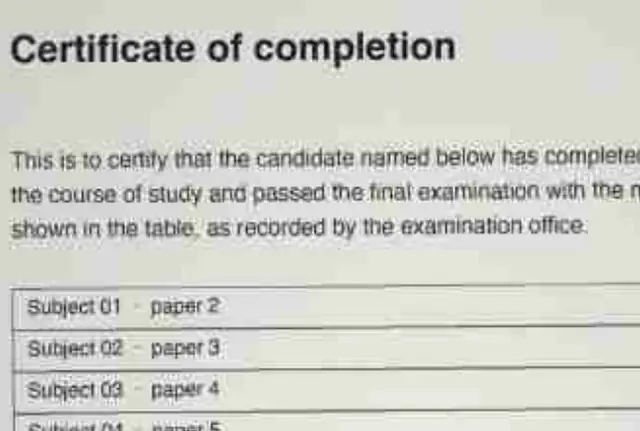
- A phone scan of a certificate: 4 pages, 1.3 MB, with a marks table, small print and a colour stamp.
- A brochure full of photos: 6 pages, 3.6 MB.
Each one went through our PDF compressor, which redraws the pages as images at the highest resolution that fits the limit. We then read every page on a phone screen. ppi is pixels per inch of the page: 96 or more keeps small print sharp.
The results
Size after compressing, and how the pages read (CV: 3 pages, scan: 4 pages, brochure: 6 pages). The scan kept 41 ppi at 50 KB, 61 at 100 KB, 81 at 150 KB, 96 at 200 KB and 150 from 500 KB up.
| Limit | CV | Scan | Brochure |
|---|---|---|---|
| 50 KB | 46 KB Hard to read | 41 KB Hard to read | 43 KB Hard to read |
| 100 KB | 90 KB Clear | 88 KB Readable, a little soft | 84 KB Readable, a little soft |
| 150 KB | 147 KB Sharp, small print too | 132 KB Clear | 124 KB Clear |
| 200 KB | 189 KB Sharp, small print too | 195 KB Sharp, small print too | 174 KB Clear |
| 300 KB | 282 KB Sharp, small print too | 284 KB Sharp, small print too | 252 KB Sharp, small print too |
| 400 KB | 383 KB Sharp, small print too | 365 KB Sharp, small print too | 366 KB Sharp, small print too |
| 500 KB | 480 KB Sharp, small print too | 475 KB Sharp, small print too | 443 KB Sharp, small print too |
| 1 MB | 678 KB Sharp, small print too | 751 KB Sharp, small print too | 893 KB Sharp, small print too |
What does this mean for your upload?
- 50 KB: one page. Four scanned pages squeezed into 50 KB were too blurry to read.
- 100 KB: our four scanned pages fitted, readable but a little soft (61 ppi). Fewer pages get more room each, so they stay crisper.
- 150 to 200 KB: the four scanned pages came out clear (150 KB) to sharp (200 KB). Enough for most certificates and mark sheets.
- 300 KB and above: the four pages came out sharper than any form needs, so longer documents have room too.
- 1 MB: everything at full detail, even the photo brochure.
Does black and white make it smaller?
Barely, at least for the scanned certificate. At 100 KB it came out at 87 KB in Black and white against 88 KB in colour, and at 200 KB 195 KB against 195 KB, at the same resolution. Keep colour for stamps and seals; to fit more, remove pages instead.
How do you fit more pages?
- Upload only the pages they ask for. Split PDF keeps just those.
- Crop the scan to the paper. The desk around it is wasted space.
- Download PDFs instead of scanning them when you can: bank statements and e-documents are text, and shrink with no loss at all.
Quick answers
How many pages fit in 100 KB?
In our test, four scanned A4 pages fitted in 100 KB, readable but slightly soft; fewer pages stay crisper. Typed pages without photos fit many more.
How many scanned pages fit in 200 KB?
Our four scanned pages fitted in 195 KB, sharp enough for small print, in full colour.
Does converting a PDF to black and white reduce its size?
Very little when pages are redrawn as images: on our scanned certificate it saved about 1% at the same resolution. Removing pages saves far more.
Fix the file in your browserOur free tools compress, unlock and resize files on your own device, so your documents are never uploaded. No sign-up, no watermark.